Fault codes
Read the fault codes stored in the connected module.
If there are no fault codes stored, the following message will appear:
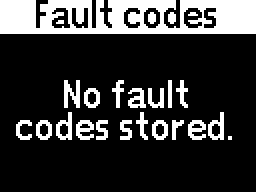
The menu will look slightly different, depending on the protocol used by the module (KWP/UDS).
KWP
Navigating the list of fault codes, their code is on the left side and their position in the list is on the right side.
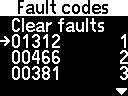
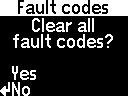
Choose the first option to clear all stored fault codes. It requires confirmation.
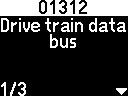
It is possible to access any of the fault codes to get a description.
If you don't have a CTT file installed, you will instead see this message:
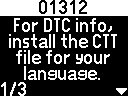
Check out the Update webpage (Other files) chapter for details on how to install it.
The last description page shows an elaboration of the fault.
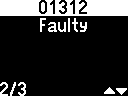
The last page shows the status of the fault.
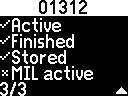
Use the Enter button anywhere to exit this menu.
UDS
The menu looks similar to KWP, however the codes shown here aren't very useful. The same code can refer to different faults on different modules. You might still be able to find forum posts by searching for these numbers online.
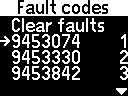
Choose the first option to clear all stored fault codes. It requires confirmation.
To see the real interpretation of the fault code, select it and press Enter:
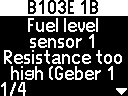
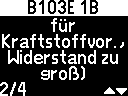
The title now shows the decoded fault code.
If you don't have a CFD file installed for this module, you will instead see this message:
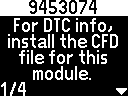
Check out the UDS module files chapter for details on how to obtain it, and the Update webpage (Other files) chapter for instructions on how to install it.
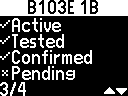
The last pages show the status of the fault.
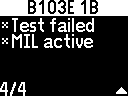
Use the Enter button anywhere to exit this menu.