Notes
Display protocol
You are currently reading the instruction manual for clusters which use the BAP display protocol!
If your cluster doesn't look exactly like one of the images below, please contact us to help you.
This manual has two different versions, depending on the type of instrument cluster it will work with.
CAN - Audi
FISPlus supports both the red low-resolution cluster (< 2008) and the white high-resolution cluster (> 2008), generally installed on the PQ35 platform:
- Audi A3 MK2 8P
- Audi TT MK2 8J
- Audi R8 42
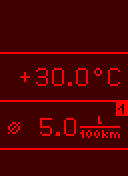
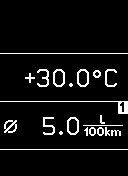
For these clusters, please choose CAN in the list on the top bar of the page, or in the side menu. Make sure the correct version is selected before downloading a file from Updates!
Press this button to switch to CAN
CANBAP - VW/Škoda/SEAT (currently selected)
FISPlus supports the white MFA, and also color clusters (known as 2D and 3D), generally installed in these cars:
- Volkswagen Touran 1T
- Volkswagen Caddy MK3 2K
- Volkswagen Golf MK6 5K
- Volkswagen Golf Plus
- Volkswagen Scirocco MK3 13
- Volkswagen Jetta MK5 1K
- Volkswagen Jetta MK6 1K
- Volkswagen Beetle A5/16
- Volkswagen Eos 1F
- Škoda Octavia MK2 1Z (might not be supported!)
- Škoda Yeti 5L
- SEAT León MK2 1P
- SEAT Toledo MK3 5P
- SEAT Altea 5P
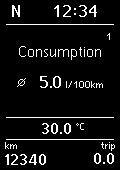
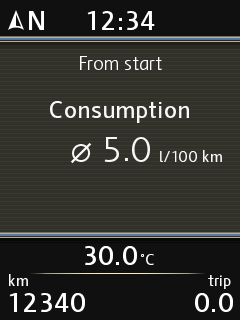
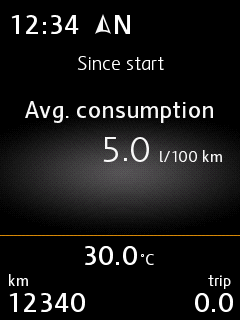
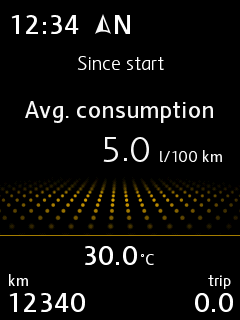
There are older white-MFA clusters which look very similar, but are not supported. Make sure yours looks exactly like the first image.
There are newer color clusters that might not be supported.
For these clusters, please choose BAP in the list on the top bar of the page, or in the side menu. Make sure the correct version is selected before downloading a file from Updates!
The previews shown throughout this manual represent the white MFA variant, but FISPlus looks very similar on the color variants shown above.
Info
FISPlus can connect to modules which use the KWP2000-on-TP20 or the UDS-on-ISOTP protocol.
The KWP2000 protocol supported by FISPlus might simply be called "CAN" in some diagnostic apps. To avoid confusion with the cluster's display protocol, we will refer to this diagnostic protocol as KWP.
KWP2000 can also refer to a K-line protocol. Modules which use this protocol, or any other protocol that needs the K/L-line, are (currently) not supported.
- For reading preset live data ("measuring blocks") and decoding fault codes from UDS modules, each module requires its own file.
- At the moment, you can only get these files by contacting us.
Check out the UDS module files chapter for more details.
FISPlus also has a built-in Type-K thermocouple input, which you can use to measure a temperature which you cannot read directly from a module. See Configuration editor (Onboard thermocouple) for details on how to use it.
The board additionally features 3 expansion slots (which can be used for more Type-K thermocouple converters), an I2C bus, and 4 inputs for analog variable-voltage or variable-resistance sensors.
These will be supported in a future update. Please contact us if you need them.
Warnings
FISPlus cannot be used if a Bluetooth handsfree (Telephone) unit (which displays information on the cluster) is installed in the car.
If you wish to use the Bluetooth handsfree unit together with FISPlus, please contact us.