Main menu
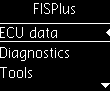
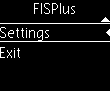
- - close the menu
Exit
The Exit option will turn off the Phone menu used by FISPlus. To return, use the cluster's regular menu system.
If your cluster is controlled via the MFSW (not the stalk), you can also exit FISPlus at any point using the buttons you normally use to switch menus.