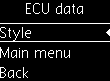
ECU Data
Here, the custom sets of measurements will be displayed.
Before uploading a configuration file, the following error will appear:
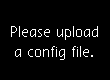
To proceed, follow the Getting started chapter.
After uploading a compatible configuration file, your custom measurements will become accessible.
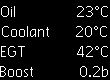
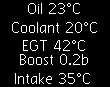
If a page contains 5 measurements, the layout will look slightly different.
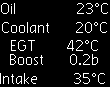
Unfortunately, it is not possible to align those two lines to match the rest. If you need 5 measurements on a page, we recommend using the Centered rows option in the configuration. Check out Configuration editor (Pages) for more details.
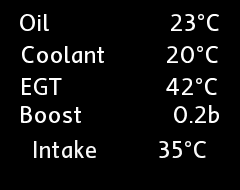
On color displays, this issue appears on the last line.

If a communication fault occurs while reading data, the following message will appear:
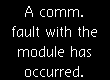
Close the menu, then enter it again.
When you navigate to a page, the page's title (if it exists) and the page number (if enabled) will be displayed for a short time. To disable the page counter, check out the menu.
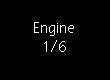
If the page doesn't have a title, and the page counter is disabled, this will not appear.
Additional options
To bring up additional options, use the Enter button on any page.