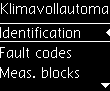
Diagnostics
Connect to a module to perform diagnostic operations.
Protocol
Some modules support the KWP protocol, some support UDS, and some support both.
In case a module supports both protocols, KWP will be tried first, then UDS.
Names
Most module names do not fit on the screen, but they will be scrolled. Select a module and wait a little bit to read the whole name.
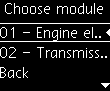
Back
Since there are many pages, there is a option on every page.
If you have a physical Back button (see Operating the menus (MFSW)), and you would like to hide the options, take a look at the setting.
After selecting a module, use the Enter button to attempt to connect to it.
Connection failed
If all connection attempts fail, the following error will appear:
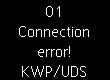
If the connection is successful, the following menu will appear: