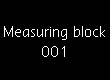
Measuring blocks (KWP)
Mapping
The first time you enter this menu for a module, the mapping process will start and FISPlus will try to read every possible block. If a block doesn't exist, it won't be part of the menu.
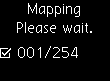
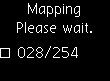
It is possible to stop this process before it's complete, but you will only be able to access the menu after it finishes.
This will only be done once.
Use the Up/Down buttons to scroll through sets of data. The measurements in the current block will be updated in real-time.
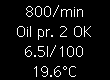
When you navigate to a block, its number will be displayed for a short time.